
Mejor para :Play virtually any media file or stream regardless of how obscure or damaged the format may be.
Aiseesoft Reproductor de Blu-ray
 100% Seguro. Sin anuncios.
100% Seguro. Sin anuncios.
Contenido
QuickTime Player has long been the go-to media software for Mac users due to its simplicity and native integration. However, as video formats evolve and 4K/8K content becomes the standard, many users are finding that the built-in player no longer meets their needs.
Whether you're facing the dreaded "file not compatible" error on macOS or looking for a sleek, QuickTime-like experience on Windows 11, there are better options available. In this guide, we have tested and selected the 10 best QuickTime Player alternatives that offer broader format support, advanced features, and superior performance.
How We Test and Review QuickTime Alternatives
To find the best QuickTime alternatives for 2026, our team tested over 30 players on macOS Sequoia and Windows 11. We evaluated each tool based on four critical benchmarks:
Codec Versatility: We tested playback for MKV, AVI, WMV, and FLV to ensure native support without extra codec packs.
Rendimiento: We monitored CPU/GPU usage during 4K UHD and 8K playback to ensure zero stuttering or overheating.
Características modernas: We verified support for HDR10+, lossless audio (Dolby/DTS), and advanced subtitle synchronization.
Soporte de disco: We tested the ability to bypass region codes and encryption for 4K Blu-ray discs and ISO files.
After my test, I’ve concluded and picked the top 4 QuickTime Player alternatives that suit most people’s needs.
| Nombre del jugador | Plataforma | La mejor opción para | Precio | Key Highlight (2026) |
| VLC Media Player | Medición | Open-source Swiss Army Knife | Free | 8K Video & 360° support |
| IINA | macOS | Modern Mac Experience | Free | Native Apple Silicon & Touch Bar |
| PotPlayer | Windows | Personalización avanzada | Free | 3D/VR & Pro Hardware Decoding |
| Aiseesoft Reproductor de Blu-ray | Win / Mac | Premium 4K/UHD Cinema and Blu-ray Playback | Respiro | Lossless Audio & Region-Free |
Despite being the default player on macOS, QuickTime has remained relatively stagnant while video technology has leaped forward. Here are the primary reasons why it might be failing you:
Limited Codec Support: QuickTime is notoriously picky. It natively supports MOV, MP4, and M4V, but it still refuses to play MKV, AVI, WMV, FLV, or many older legacy formats without constant "converting" messages.
No Native Blu-ray Playback: Even in 2026, QuickTime cannot play Blu-ray discs, ISO folders, or BDMV files. For users with physical media collections, this is a major dealbreaker.
Subtitle Incompatibility: Managing external subtitles (like .srt or .ass) in QuickTime is a nightmare. Most modern alternatives offer one-click subtitle loading and synchronization.
Eficiencia del hardware: Newer players use advanced GPU acceleration to handle high-bitrate 4K and 8K videos (HEVC/H.265). QuickTime can often struggle, causing your Mac to overheat or the video to stutter.
Falta de características avanzadas: Features like playback speed control (beyond basic increments), video effects, and audio equalization are either missing or buried in complex menus in QuickTime.
Mejor para :Play virtually any media file or stream regardless of how obscure or damaged the format may be.
Calificación4.5/5
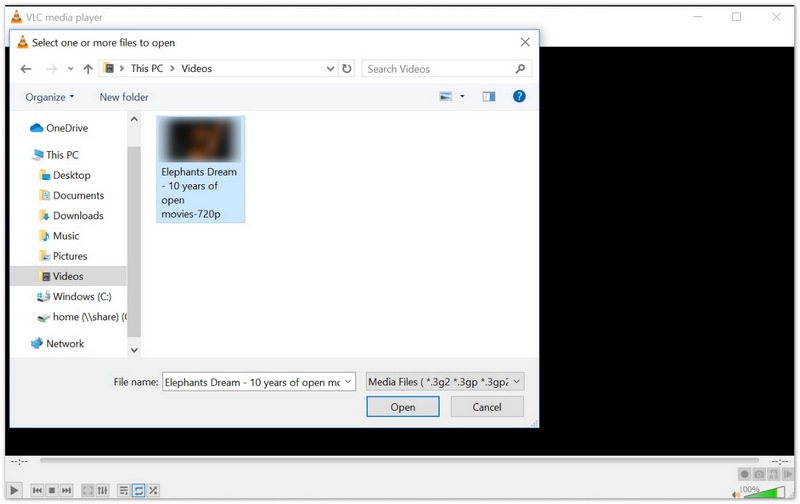
Among plenty of QuickTime Player alternatives out there on the internet, VLC Media Player is the most famous one. If you are not satisfied with QuickTime Player's codec limitation, you can use this marvelous VLC Media Player to replace it. It is compatible with almost all video and audio formats, and you don't need to download any codec. In addition, it is equipped with a playlist function to allow you to play different media files one after the other.
Ventajas
Desventajas
Mejor para :macOS users who want a native, modern experience that perfectly integrates with the Apple ecosystem.
Calificación4.8/5
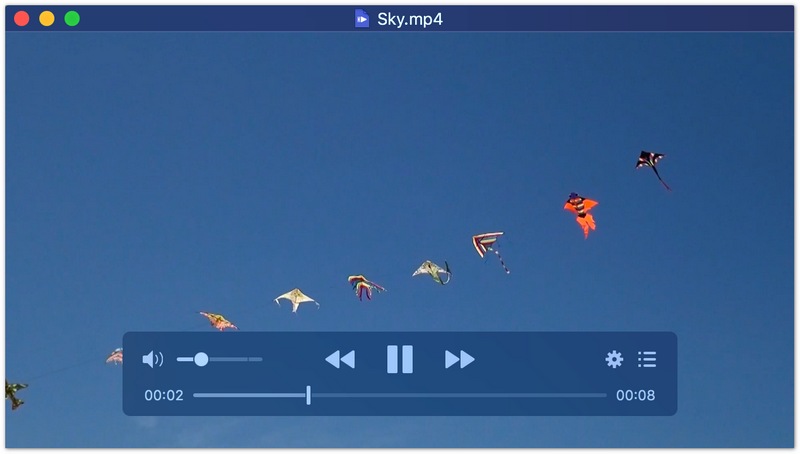
IINA is built specifically for macOS and adopts the latest design languages, including Dark Mode and Force Touch. Unlike other cross-platform players that feel out of place on a Mac, IINA looks like an official Apple app while offering much more power than QuickTime. It is powered by the open-source mpv engine, ensuring it can play almost any file format.
Ventajas
Desventajas
Mejor para :Advanced Windows users who need extreme customization and high-performance hardware decoding.
Calificación4.7/5
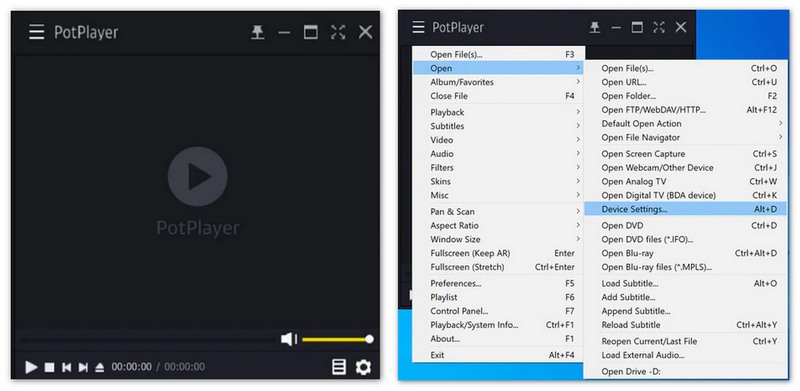
PotPlayer is widely considered the most powerful media player for Windows, developed by the same team behind KMPlayer. It is highly optimized for performance, utilizing DXVA, CUDA, and QuickSync to provide smooth playback for heavy 4K or 8K files. It offers a staggering amount of settings for those who like to "tinker" with their viewing experience.
Ventajas
Desventajas
Mejor para :Movie enthusiasts who need high-quality playback for physical and digital 4K/Blu-ray media.
Calificación5/5
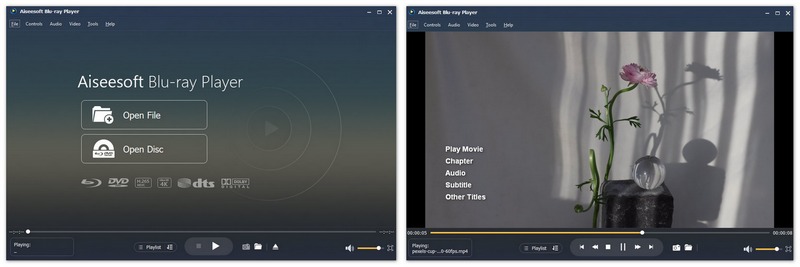
Aiseesoft Reproductor de Blu-ray is the best alternative to QuickTime Player. If you want to play DVDs and Blu-rays on your Windows 11/10 or Mac, this powerful media player can easily do that for you. It highly supports any frequently used or uncommon video/audio format. Moreover, it can help you enjoy Blu-ray disc/folder/ISO file, DVD, and other 4K UHD/HD/SD videos smoothly with a fantastic visual experience. In addition, it supports DTS-HD and Dolby True HD audio technology to give you home theater audio effects with the best enjoyment.
100% Seguro. Sin anuncios.
100% Seguro. Sin anuncios.
Ventajas
Desventajas
Mejor para :Mac users who frequently stream or "cast" local media to other devices like TVs.
Calificación4.5/5
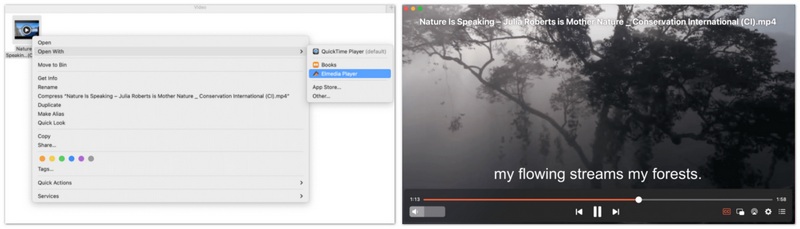
Elmedia Player is a versatile Mac app that bridges the gap between local playback and wireless streaming. It allows you to cast your local files to AirPlay, Chromecast, and DLNA devices with ease. It is often praised for its "one-click" functionality and highly polished interface that rivals QuickTime's simplicity.
Ventajas
Desventajas
Mejor para :Users with high-end monitors or TVs who prioritize 8K and high-resolution playback.
Calificación5/5
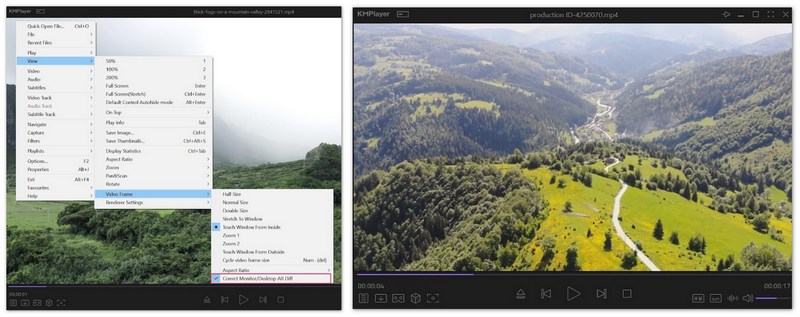
KMPlayer 64X is a rebuilt version of the classic KMPlayer, specifically optimized for modern 64-bit operating systems. It is tailored for "extreme" resolution, handling 8K, 60FPS, and UHD content better than almost any other free player. It includes its own internal codecs, making it a reliable plug-and-play option for high-end setups.
Ventajas
Desventajas
Mejor para :Wireless mirroring and downloading online video content for offline viewing.
Calificación4.0/5
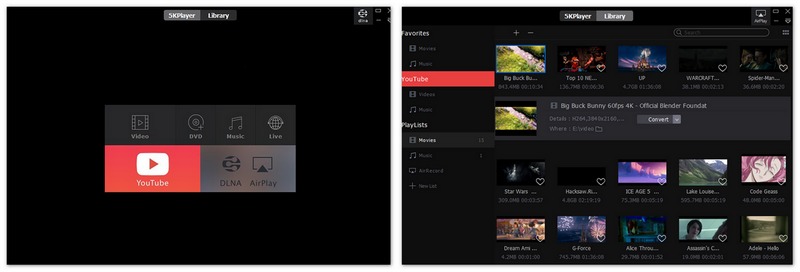
5KPlayer is a unique mixture of a high-def video player, an AirPlay/DLNA streamer, and a video downloader. It is designed for the modern user who moves media between their iPhone, Mac, and PC frequently. While it supports 4K and 8K, its standout feature is the ability to download content from YouTube and Vimeo directly.
Ventajas
Desventajas
Mejor para :Mac users who prefer downloading apps safely through the official App Store.
Calificación4.5/5
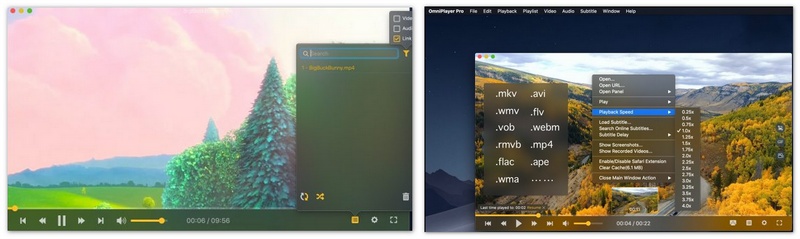
OmniPlayer has gained massive popularity on the Mac App Store because it is incredibly lightweight and "just works." It is a no-frills, powerful player that handles nearly any format (MKV, AVI, etc.) that QuickTime refuses to open. It is particularly good at managing playlists and remembering where you left off.
Ventajas
Desventajas
Mejor para :Playing damaged video files and exploring 360-degree Virtual Reality content.
Calificación4.0/5
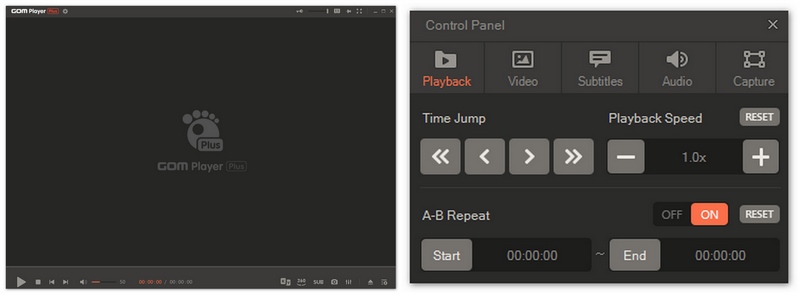
GOM Player is a veteran in the media player space, famous for its "Codec Finder" service which helps you find missing codecs for rare files. It is also a reproductor de vídeo de realidad virtual leader, allowing you to play and navigate 360-degree videos using your mouse or keyboard. It is a great choice for users who download older or experimental media.
Ventajas
Desventajas
Mejor para :Technical users and "minimalists" who want the highest quality video with zero interface bloat.
Calificación4.5/5
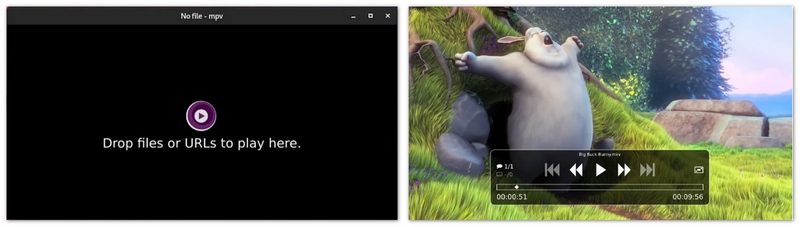
MPV is a free, open-source, and cross-platform media player that has no real "buttons." It is controlled primarily via keyboard shortcuts or the command line. Because it lacks a heavy graphical interface, it is incredibly fast and offers the best video scaling algorithms available today, making it a favorite for videophiles.
Ventajas
Desventajas
Conclusión
While QuickTime Player remains a staple for basic video viewing on macOS, it is no longer the versatile powerhouse required for today’s diverse media landscape. Whether you are struggling with "File Format Not Supported" errors, looking to stream 4K content to your TV, or trying to manage a massive Blu-ray collection, there is a superior alternative tailored to your specific needs. For the majority of users, IINA provides the perfect modern interface for Mac, while PotPlayer offers unmatched customization for Windows 11. If your priority is cross-platform flexibility and open-source reliability, VLC Media Player remains the industry standard. However, for those seeking a true premium home cinema experience with 4K UHD discs and lossless audio, Aiseesoft Blu-ray Player stands out as the most robust and professional choice for both platforms in 2026.
100% Seguro. Sin anuncios.
100% Seguro. Sin anuncios.
Choose the player that fits your workflow and enjoy your media without the constant headache of codec limitations or performance lag.
 Cómo convertir el formato QuickTime a MP4
Puede encontrar varios de los mejores convertidores de QuickTime a MP4, convertidores de QuickTime a MP4 en línea y convertidores de escritorio de QuickTime a MP4.
 Juega WMV en Mac con las 3 mejores alternativas de Flip4mac
¿Quieres jugar WMV en Mac? Este artículo enumera 3 excelentes alternativas de Flip4Mac WMV para que pueda reproducir libremente WMA/WMV en Mac.
 Cómo convertir MKV a MP4 con un potente convertidor a una velocidad súper rápida
Este artículo le muestra la mejor solución para convertir MKV a MP4 y otros formatos como AVI/FLV/RMVB/WMV/MPEG con MKV to MP4 Converter.
Mejor reproductor de video
QuickTime PlayerVLC Media PlayerReproductor de Windows MediaUn jugador verdaderoJW PlayerBBC iPlayer
Blu-ray Player es un potente reproductor que puede reproducir discos Blu-ray, carpetas Blu-ray, discos DVD/carpetas/archivos ISO, actuando como reproductor multimedia común para cualquier archivo de vídeo HD/SD.
100% Seguro. Sin anuncios.
100% Seguro. Sin anuncios.

*Campo requerido
*Por favor ingrese un correo electrónico válido