El mejor grabador de pantalla 8K para PC
 100% Seguro. Sin anuncios.
100% Seguro. Sin anuncios.
Al usar tu computadora a diario, es posible que necesites capturar la pantalla con frecuencia. ¿Sabes cómo capturar archivos de video o audio de forma gratuita en tu PC o Mac con Windows 11/10/8/7?
Debes saber que existen muchos grabadores de pantalla de código abierto en internet que pueden ayudarte a grabar todo tipo de actividades en tu computadora. La pregunta es: ¿cuál es el mejor grabador de pantalla de código abierto y cuál deberías usar?
La mayoría de las herramientas de captura de video de código abierto son gratuitas y completas. Sin embargo, algunos grabadores de pantalla mal diseñados pueden producir video/audio de baja calidad. Por ello, queremos compartir 10 excelentes. grabador de pantalla de código abiertos para que usted elija.
Cómo probamos y revisamos
Probamos todos los grabadores de pantalla de código abierto en varios dispositivos Windows para evaluar el rendimiento.
Cada herramienta se utilizó para capturas de pantalla, superposición de cámara web y entrada de audio para reflejar escenarios reales. Exploramos las funciones de edición y exportación, incluyendo recorte, anotaciones y opciones de formato, para una revisión completa.
Finalmente, se evaluaron las grabaciones en cuanto a claridad de resolución, fluidez de reproducción y calidad de audio para garantizar una comparación justa.
| Tipo de licencia | Plataforma(s) principal(es) | Formato de salida principal | Soporte de transmisión en vivo | Edición de vídeo incorporada | Notas | |
| Grabadora CamStudio | Código abierto (GPL) | Windows | AVI (Clásico), MP4 (Nuevo) | No | No (Anotación básica) | Opción clásica y liviana; las versiones más nuevas (v3.0+) incluyen códecs modernos y aceleración de GPU. |
| OBS Studio | Código abierto (GPL-2.0) | Windows, MacOS, Linux | MP4, MOV, FLV | Sí (Excelente) | No (Requiere externo) | Herramienta de nivel profesional con gestión de escenas complejas; curva de aprendizaje pronunciada. |
| ShareX | Código abierto (GPL-3.0) | Windows | GIF, MP4 (FFmpeg), Imagen | No | Sí (Editor básico de imágenes/GIF) | Se centra en las capturas de pantalla y la automatización posterior a la captura (carga/compartir). |
| captura | Código abierto (MIT) | Windows (Principal) | MP4, AVI, GIF | No | No (Recorte básico) | Ligero, portátil, bueno para tutoriales con visualización de pulsaciones de teclas. |
| FlashBack Express | Propietario (Freeware) | Windows | MP4, AVI, WMV | No | Sí (solo recorte básico) | No es de código abierto, pero es una opción gratuita popular que no ofrece marcas de agua ni límites de tiempo. |
| VirtualDub | Código abierto (GPL-2.0) | Windows | AVI (Primario) | No | Sí (No lineal avanzado) | Principalmente un editor/procesador de video avanzado con captura de pantalla como fuente de entrada; interfaz técnica. |
| VokoscreenNG | Código abierto (GPL-3.0) | Linux, Windows | MP4, MKV, WebM, AVI | No | No (reproducción básica) | Solución multiplataforma fácil de usar con una interfaz sencilla y zoom/ampliación. |
| Ojeada | Código abierto (GPL-3.0) | Linux (X11/Wayland) | GIF, WebM, MP4 | No | No (Selección básica de marco) | Herramienta altamente especializada para crear fácilmente GIF animados pequeños y silenciosos. |
| Kazam ScreenCaster | Código abierto (GPL-3.0) | Linux (X11/Wayland) | MP4, WebM, AVI | No | No | Capturador de pantalla sencillo y dedicado para Linux, conocido por su confiabilidad y facilidad de uso. |
| XVIdCap | Código abierto (GPL-2.0) | Linux (X11) | AVI, MPEG | No | No | Grabadora Legacy X11; muy simple y minimalista, pero en gran medida reemplazada por herramientas más nuevas. |
Descarga
Screen Recorder profesional para Winodws/Mac
Existen diferentes grabadores de pantalla de código abierto que ofrecen diversas funciones de grabación y edición. Puedes elegir el que prefieras según tus necesidades. A continuación, te presentaremos las 10 mejores herramientas de captura de pantalla.
CamStudio Es un popular grabador de pantalla de código abierto que te permite capturar cualquier video y audio en tu computadora con alta calidad. Ofrece diferentes versiones de descarga para PC con Windows 11/10/8/7 y Mac. Este software de captura de video de código abierto permite capturar la pantalla completa o cualquier parte seleccionada.
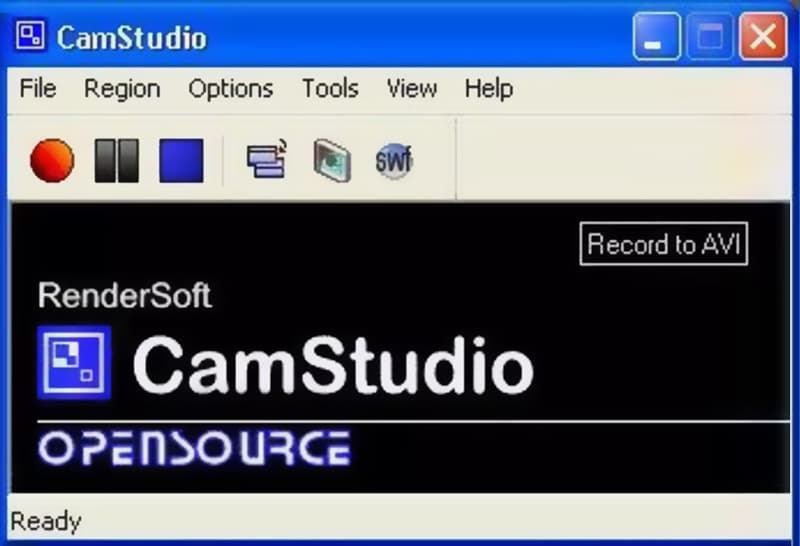
La grabadora CamStudio le permite colocar subtítulos de pantalla y superponer el video de su cámara web sobre el contenido que está grabando. Con su SWF Producer incorporado, puede grabar videos AVI y convertir esas grabaciones en videos Streaming Flash eficientes, eficientes y con un ancho de banda amigable. Una cosa que debe preocuparte es que esta grabadora de pantalla de código abierto no tiene ninguna función de edición.
PROS
PROS
OBS Studio Es una de las herramientas de captura de pantalla de código abierto más populares. Además de la función de grabación de pantalla, también ofrece un excelente servicio de transmisión en vivo. Este grabador de pantalla de código abierto te permite capturar cualquier actividad en PC con Windows 11/10/8/7, Mac y Linux. No hay límite de tiempo para la grabación de video.
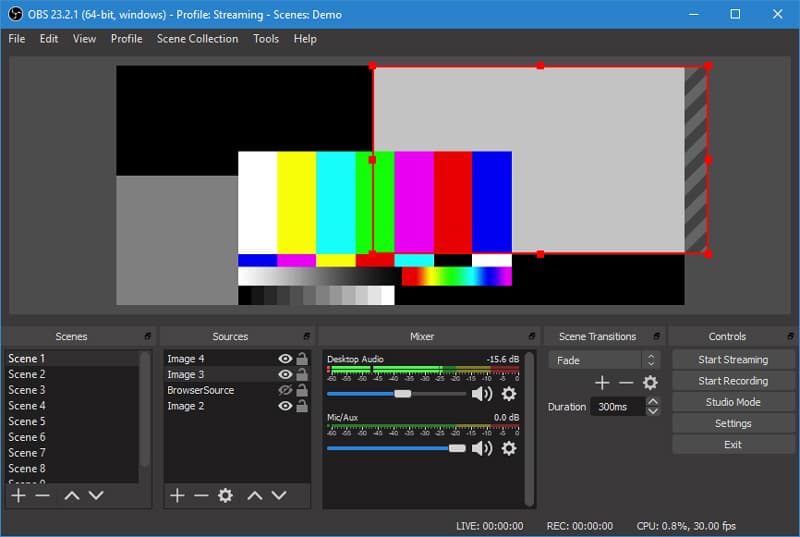
OBS Studio puede grabar la pantalla de la computadora con pantalla completa o región personalizada. Le permite grabar cualquier video o audio desde la pantalla de la computadora, la cámara web y el micrófono. Esta captura de pantalla de código abierto está especialmente diseñada para creadores de contenido y transmisiones en vivo. Ofrece un mezclador de audio intuitivo con filtros por fuente como puerta de ruido, supresión de ruido y ganancia. Esta grabadora de video gratuita no agregará ninguna marca de agua a las grabaciones. Arreglar Pantalla negra OBS problema aquí.
PROS
PROS
ShareX es un grabador de pantalla de código abierto que le brinda una grabación de pantalla rápida con funciones ilimitadas. Esta captura de video gratuita le permite grabar cualquier video con pantalla completa, ventana activa o área personalizada. ShareX está diseñado con una función de "Captura automática" para garantizar que pueda tener una excelente experiencia de grabación de pantalla.
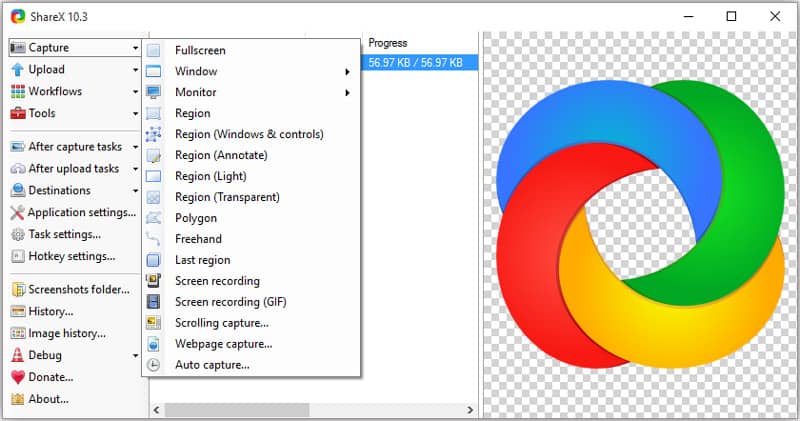
ShareX tiene muchas configuraciones útiles para ayudarlo a personalizar sus grabaciones. Le permite ajustar libremente los efectos, los dibujos y la región según sus necesidades. Esta grabadora de pantalla de código abierto no establecerá ninguna marca de agua ni límites de duración en sus grabaciones. Emitirá su video grabado en formato MP4 o GIF. También puede cargar grabaciones directamente en YouTube u otras plataformas para compartir videos.
PROS
PROS
captura es otro popular software de grabación de pantalla de código abierto que le permite capturar cualquier actividad desde el monitor de la computadora y la cámara web. Puede grabar la pantalla de captura de regiones, ventanas o pantallas personalizadas. Mientras se graba la pantalla, no verá anuncios molestos.
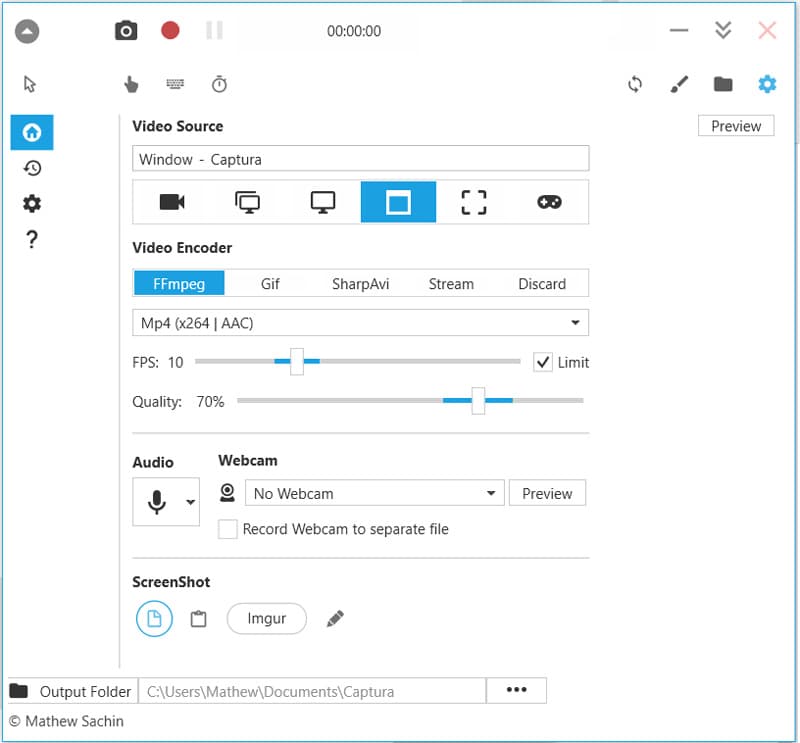
Esta grabadora de pantalla de código abierto está equipada con algunas teclas de acceso rápido para ayudarlo a obtener el control total de la grabación de pantalla. Tiene la capacidad de mezclar audio de entrada de micrófono y audio de altavoz de salida con facilidad. Captura también le permite capturar juegos DirectX Fullscreen con la API de duplicación de escritorio. Dará salida a su grabación como un archivo MP4, AVI o GIF.
PROS
PROS
FlashBack Express Es nuestra última recomendación en la lista de grabadores de pantalla de código abierto. Este completo software de grabación de video te permite grabar cualquier parte de la pantalla de tu computadora. También te permite capturar tu rostro desde la cámara web. Al igual que otros grabadores de pantalla como Camtasia Screen Recorder que recomendamos anteriormente, FlashBack Express no incluye marca de agua ni límites de tiempo/duración de grabación.
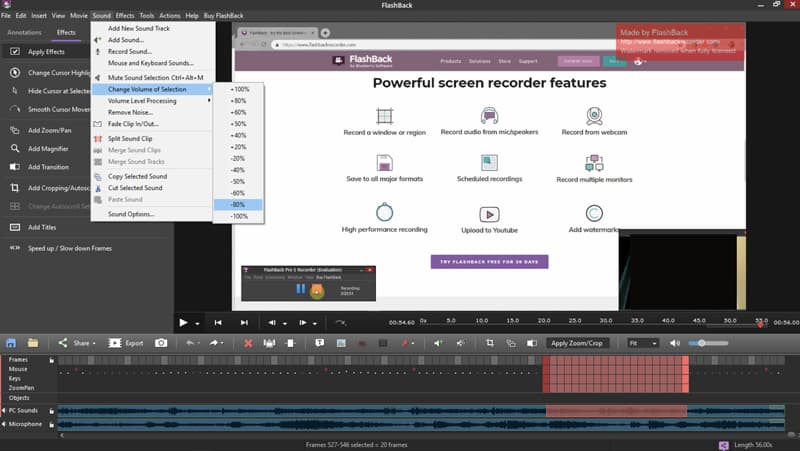
Flashback Express puede guardar su grabación en formato MP4, AVI o WMV según sus necesidades. Esta grabadora de pantalla de código abierto tiene algunas funciones de edición para que edites el video capturado. Puede recortar la grabación o video de cultivo para generar un video que realmente te guste.
PROS
PROS
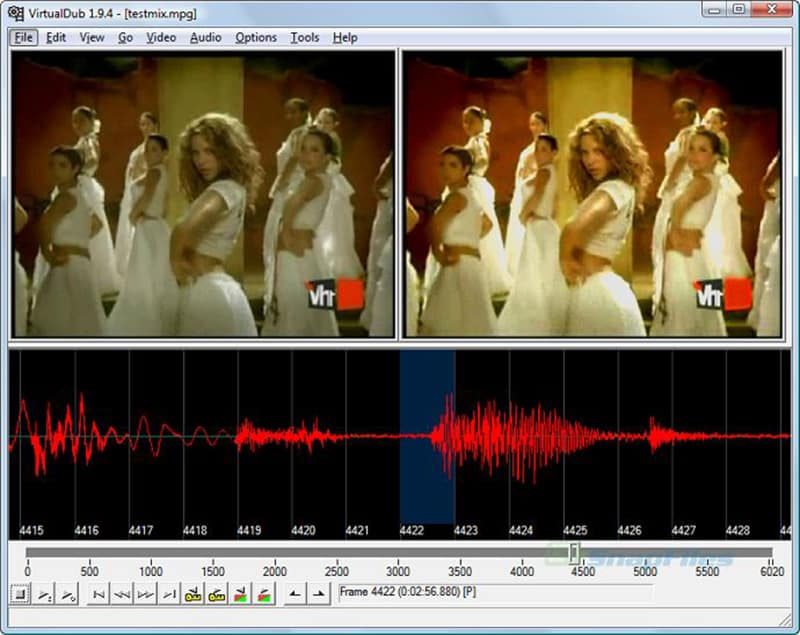
VirtualDub Es una venerable utilidad de código abierto para Windows, diseñada principalmente para la captura, edición y procesamiento de vídeo, especialmente conocida por sus rápidas funciones de recorte, filtrado y recompresión no destructivos de archivos AVI. Si bien no es un grabador de pantalla dedicado, incluye un potente controlador de captura de pantalla integrado que trata la pantalla como una fuente de vídeo, lo que la convierte en una opción viable, aunque avanzada, para capturar la actividad del escritorio. Su principal ventaja reside en su extensibilidad mediante cientos de complementos de terceros y su eficiencia al procesar grandes lotes de vídeo, aunque su interfaz de usuario y sus métodos de captura de pantalla son anticuados y más técnicos que las alternativas modernas.
PROS
PROS
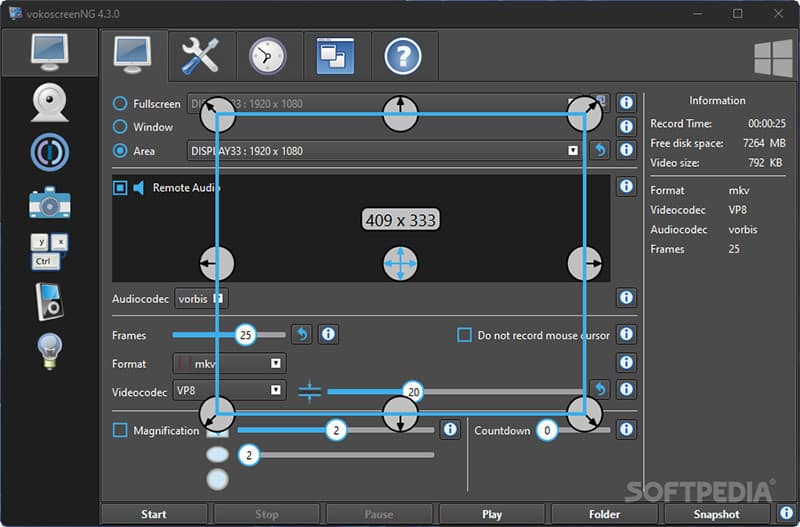
VokoscreenNG Es un grabador de pantalla multiplataforma (Windows y Linux) fácil de usar y con mantenimiento activo. Su simplicidad y configuración rápida son fundamentales para tareas generales de grabación, lo que lo hace perfecto para educadores y usuarios en general. Ofrece opciones de captura flexibles: pantalla completa, un área específica o una ventana de aplicación, e incluye funciones útiles como lupa/zoom para enfocar los detalles de la pantalla durante la grabación. Fundamentalmente, permite grabar simultáneamente desde la pantalla, la cámara web y el micrófono con una interfaz limpia y moderna, lo que lo posiciona como una alternativa potente y sencilla a suites más complejas.
PROS
PROS
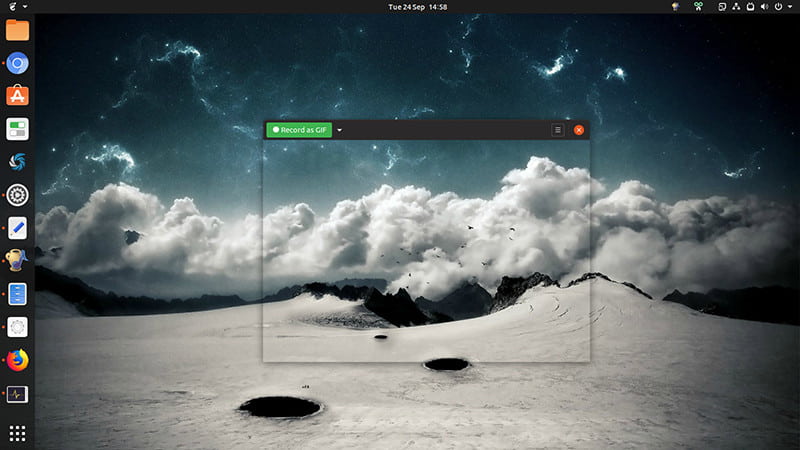
Ojeada Es una aplicación minimalista y altamente especializada de código abierto, diseñada para Linux, que destaca en una tarea: crear capturas de pantalla cortas y de alta calidad, especialmente para exportar como GIF animados. Funciona mediante una ventana simple, similar a un marco, que el usuario coloca sobre el área deseada de la pantalla. Al grabar, captura la actividad y la optimiza para el formato GIF, aunque también es compatible con WebM y MP4. Peek es una herramienta invaluable para desarrolladores y comunicadores que necesitan crear rápidamente informes visuales de errores, demostraciones cortas o GIF de reacción sin tener que lidiar con tamaños de archivo de video complejos ni configuraciones de codificación.
PROS
PROS
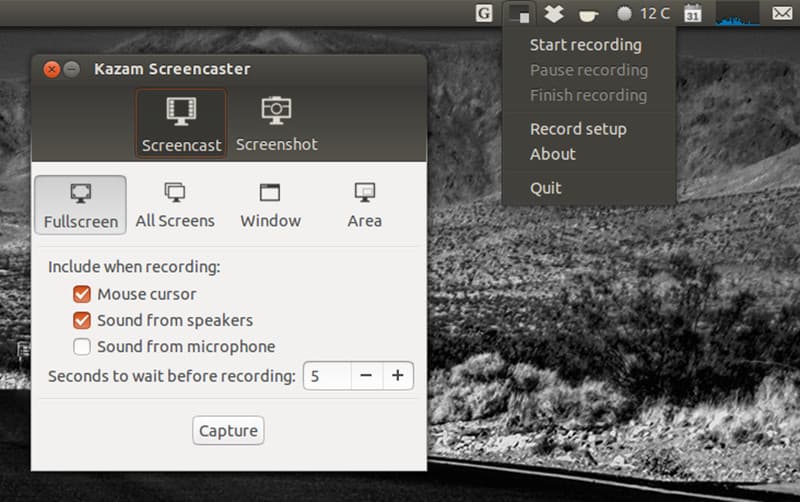
Kazam ScreenCaster Es un grabador de pantalla sencillo, moderno y fiable, diseñado específicamente para el entorno de escritorio Linux. Se centra en ofrecer una interfaz gráfica de usuario limpia y discreta para facilitar la captura de pantalla. Es la opción preferida por los usuarios de Linux que desean grabar un área seleccionada, una ventana específica o la pantalla completa con la mínima complejidad, lo que lo hace ideal para crear vídeos tutoriales básicos y grabaciones de sesiones de escritorio. Si bien incluye funciones esenciales como grabación de audio y cámara web, su punto fuerte reside en su estabilidad y su compromiso de ser una utilidad dedicada a la grabación de pantalla, en lugar de una suite de streaming integral, lo que ofrece una experiencia enfocada y fácil de usar para principiantes.
PROS
PROS
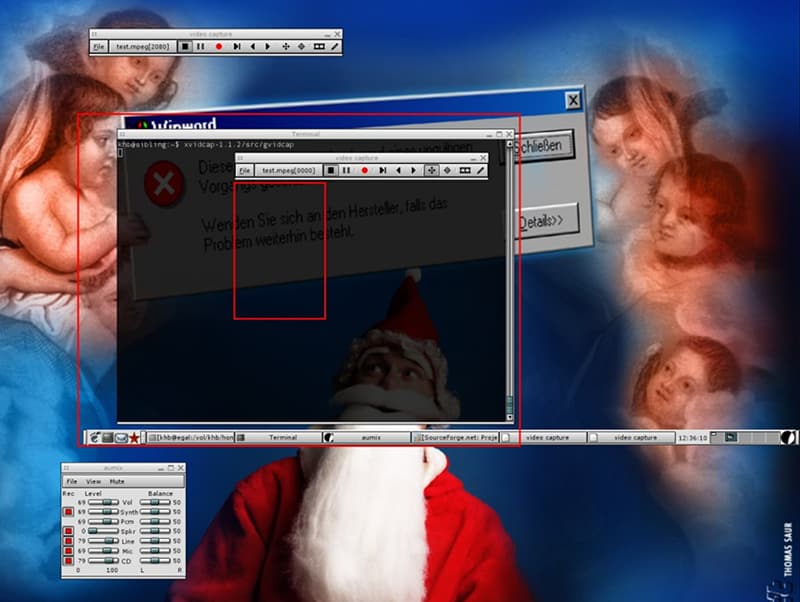
XVIdCap Es un programa de captura de pantalla de código abierto diseñado para el sistema X Window (X11), lo que lo convierte en una opción tradicional, pero aún funcional, para Linux y sistemas operativos tipo Unix. Está diseñado para grabar capturas de pantalla con narración de audio, capturando cualquier movimiento en una pantalla X11 mediante la codificación de los fotogramas capturados en un archivo de vídeo con la biblioteca FFmpeg. Su función principal es capturar un área seleccionada de la pantalla y guardar el resultado de forma eficiente. Si bien ofrece funciones básicas basadas en estándares, su desarrollo no es muy activo y ha sido ampliamente reemplazado por herramientas de Linux más modernas y con más funciones, como Kazam o SimpleScreenRecorder.
PROS
PROS
Conclusión
Hemos discutido principalmente 10 grabadores de pantalla de código abierto En esta publicación. Cuando necesites capturar la pantalla de tu computadora, puedes seleccionar la opción que prefieras. Espero que encuentres fácilmente un grabador de video gratuito que se ajuste a tus necesidades.
 Revisión y tutorial de Bandicam Screen Recorder para capturar pantalla en Windows
¿Quieres grabar juegos con pantalla completa? Bandicam Screen Recorder puede hacerte un gran favor. En esta publicación, tendremos una revisión exhaustiva de Bandicam Screen Recorder.
 Screen Recorder No Root Apk para grabar la pantalla de Android
¿Quieres grabar llamadas de Skype en Android? Recomendamos los 5 mejores grabadores de pantalla sin aplicaciones raíz para ayudarlo a capturar la actividad de la pantalla de Android en esta publicación.
 Los 10 mejores programas de captura de pantalla GIF para usuarios de Windows y Mac
Puedes hacer animaciones GIF tú mismo desde el principio. Es muy fácil crear GIF a partir de una captura de pantalla. Todo lo que necesita es un buen programa de captura de pantalla GIF. Aquí están las últimas recomendaciones para usted.
Software de grabación de pantalla
Screen Recorder CamtasiaScreen Recorder ispringCualquier grabadora de videoGrabación de pantalla OBSScreen Recorder IceCreamScreen Recorder HDScreen Recorder sin retrasoGrabador de pasos de WindowsScreen Recorder de acciónScreen Recorder con FacecamScreen Recorder de AdobeGrabadores de ratón y tecladoScreen Recorder de código abiertoScreen Recorder MP4Grabadora de escritorio MediasiteGrabador AVI gratuitoGrabador WMVGrabadora FLVGrabador MKVGrabadora MOVGrabador WEBMGrabador MXFGrabadora XviDGrabador MPEG
Aiseesoft Screen Recorder es el mejor software de grabación de pantalla para capturar cualquier actividad como videos en línea, llamadas de cámara web, juegos en Windows/Mac.
100% Seguro. Sin anuncios.
100% Seguro. Sin anuncios.

*Campo requerido
*Por favor ingrese un correo electrónico válido